Do you find it tiring to navigate between images while using Reddit? If yes, then you need to know about the Reddit scroller.
Reddit is one of the biggest social media platforms in the world. Users can share news, links, images, and videos. It has over 50 million monthly active users. Most of its traffic comes from English-speaking countries.
But Reddit works differently from other platforms. It divides itself into smaller communities called subreddits. This is what makes it unique. And this is also what makes scrolling through it a bit of a hassle.
That is exactly where Reddit scroller tools come in. Keep reading to learn everything about them.
What is a Reddit Scroller?
Almost everyone knows Reddit. But when it comes to the Reddit scroller, most users get confused.
A Reddit scroller is a web application that takes photos and videos from various subreddits. It presents them in a clean grid layout. You can scroll through everything in one place without jumping between communities.

It is built using React and Reddit’s API. The design works well on smaller screens too. Instead of navigating subreddit by subreddit, you get everything in one smooth feed.
How does it work?
The working process is simple. You open the app and type a subreddit name. It shows you the first page of that subreddit instantly. Then you click the scroll button and images start loading.
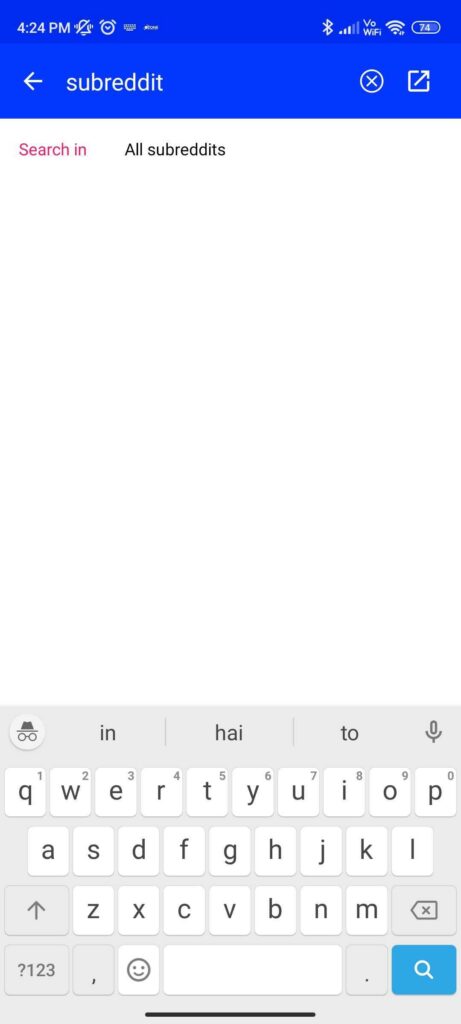
As you keep scrolling down, more images load automatically. They stop loading only when your RAM hits its limit or Reddit reaches its archive limit.
You do not need to be a tech expert to use it. A few simple steps and you are good to go.
Reddit Scroller Chrome Extension
If you do not want to download an app, Chrome has a solution. There is a Chrome extension that works similarly to the Reddit scroller app.
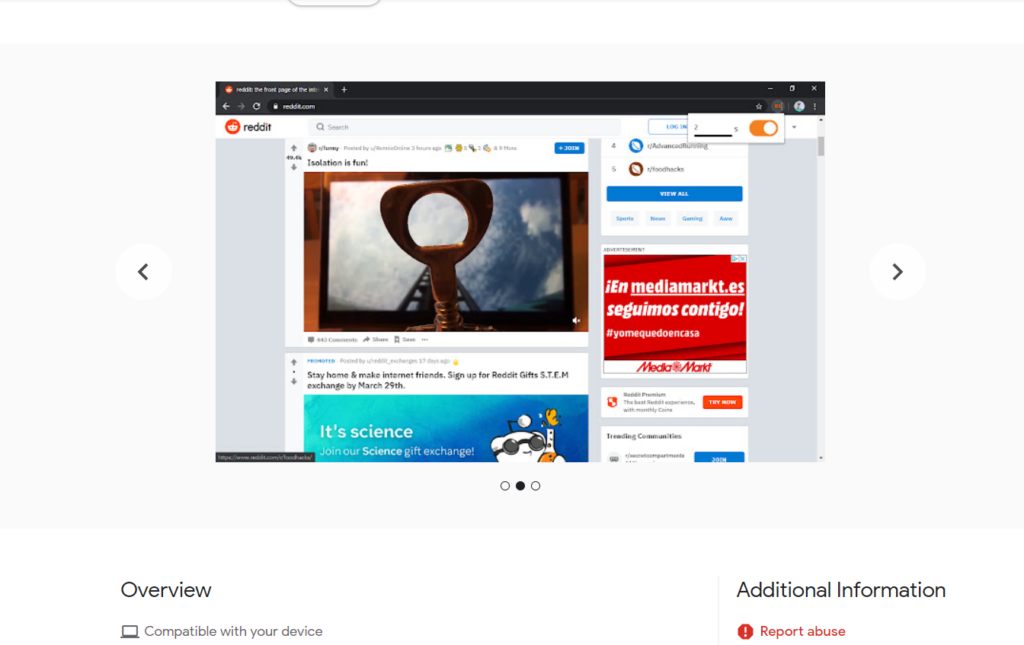
It automatically scrolls you to the next post. You can also set a timer for navigating between posts. Just install it, click the button, and it handles the rest.
This is a great option if you prefer staying in your browser. No separate app, no extra setup needed.
Alternatives for Android and Google Device Users
If you are on Android, you are in luck. Infinity for Reddit is one of the best alternatives available.
It is a lightweight, open-source app built for seamless infinite scrolling. You can browse images, videos, and posts from your favorite subreddits without interruptions. It is fast, smooth, and comes with a dark mode.
Infinity for Reddit is available on both the Google Play Store and F-Droid. Just install it, log in with your Reddit account, and start scrolling. It is a favorite among Reddit power users for good reason.
What is Scrolller?
If you have searched for a Reddit scroller recently, you have likely come across Scrolller. It is currently the most popular tool for browsing Reddit visually.
Scrolller is a website at scrolller.com. It pulls content directly from Reddit using the Reddit API. It does not host its own content. Instead, it grabs images, GIFs, and videos from subreddits and displays them in a clean grid.
Think of it as Reddit without the clutter. No ads, no long comment threads, no distractions. Just visual content in an endless scroll.
It works on both desktop and mobile. You do not need an account or any download. Just open the site and start browsing.
How to Use Scrolller on Desktop and Mobile
Using Scrolller is very straightforward. Here is how to get started.
On desktop, open your browser and go to scrolller.com. The feed loads automatically. Scroll through posts using your mouse or trackpad. Use the search bar at the top to find a specific subreddit.
On mobile, open your phone browser and visit scrolller.com. The site adjusts to your screen automatically. No app download is needed. If you visit it often, save it to your home screen for one-tap access.
That is all. Within seconds, you are browsing Reddit content in a much cleaner way.
Safe Mode and NSFW Toggle on Scrolller
Before you start using Scrolller, there is one thing worth knowing. It has a Safe Mode toggle.
By default, Safe Mode is turned on. This means you only see SFW content. If you are on a shared device or browsing at work, keep it on.
You can turn Safe Mode off to see NSFW content. The toggle sits at the top of the page and is easy to find. Just make sure you are in a private setting before switching it off.
This feature makes Scrolller accessible for a wide range of users. It puts the control in your hands.
Reddit Scroller vs Scrolller — What is the Difference?
A lot of people confuse these two. They sound similar, but they are different things.
Reddit Scroller is the original open-source web app. It is built with React and Reddit’s API. You type a subreddit name and scroll through images in one place. There is also a Chrome extension version that auto-scrolls posts for you.
Scrolller, on the other hand, is a standalone website at scrolller.com. It is more polished, more feature-rich, and far more popular today. It supports infinite scroll, subreddit search, safe mode, and works on any device without installation.
In 2025, when most people say “reddit scroller,” they are usually talking about Scrolller. Both tools serve the same core purpose. They just differ in how polished and accessible they are.
What Happened to Scrolller in 2026?
Scrolller is still live and working, but it has had a rough patch in 2026. Users across the UK and US have reported intermittent issues where the site loads the first page of images but goes blank when scrolling further. Refreshing fixes it temporarily, but the problem keeps returning for some users.
The site itself has not shut down or changed ownership. It is a reliability issue, not a closure. If Scrolller is not working for you right now, a hard refresh (Ctrl + F5) or clearing your browser cache usually resolves it. If the problem persists, the alternatives below work as solid backups.
Best Scrolller Alternatives in 2026
- Infinity for Reddit (Android): Already mentioned above, but worth repeating as the top pick for mobile users. Open source, fast, dark mode, infinite scroll by default. Available on Google Play and F-Droid. No account needed to browse.
- Reddit itself (New UI): Reddit’s own redesigned interface now handles image browsing significantly better than it did a few years ago. The card view on subreddits is close to what Scrolller offers for casual browsing. Not as clean, but always works.
- Scrolldrop: A lightweight web-based alternative that pulls Reddit content into a scrollable feed. No account needed, works in any browser, and loads faster than Scrolller on slower connections.
- RedditP Converts Reddit content into a fullscreen slideshow-style presentation. Good for image-heavy subreddits where you want one image at a time rather than a grid. Works directly in the browser.
- Old Reddit + RES (Reddit Enhancement Suite): If you prefer the old Reddit layout, installing the Reddit Enhancement Suite Chrome extension gives you an inline image expander that turns any subreddit into an infinite scroll feed. Reliable, actively maintained, and works on any device where Chrome extensions are supported.
FAQs
1. Is Scrolller safe to use?
Yes, Scrolller is safe. It pulls content directly from Reddit. You are not visiting any unknown third-party host. Keep Safe Mode on for a clean browsing experience.
2. Does Scrolller require a Reddit account?
No. You can browse Scrolller without logging in or creating an account. It works right out of the box.
3. Is Reddit Scroller free?
Yes, both the Reddit Scroller app and Scrolller are completely free. Scrolller does offer some premium features, but the basic version costs nothing.
4. What happened to the Reddit Scroller Chrome extension?
The extension still exists but is not actively maintained. Most users have moved to Scrolller as a more reliable option.
5. What is the best Reddit scroller alternative?
For Android users, Infinity for Reddit is a great pick. For desktop users, Scrolller is the go-to choice right now.
Conclusion
Reddit scroller tools make browsing Reddit much simpler. Whether you use the original app, the Chrome extension, or Scrolller, the goal is the same. You get all your favorite subreddit content in one smooth, scrollable feed.
Pick the one that works best for your device and browsing style. You may also want to check out our detailed guide on the Orange Monkey Chrome extension.