Most explanations of UI and UX design follow the same script. UI is the look. UX is the feel. UI is the buttons, the colors, the fonts. UX is the overall experience. Everyone nods, walks away, and still can’t explain which one they’d hire for a landing page redesign.
The problem isn’t the definitions. It’s that most introductions treat UI and UX as a vocabulary lesson instead of a practical distinction. By the end of this article, you’ll know not just what each term means — but where one ends and the other begins in a real project.
The Definitions That Actually Stick
UI design — user interface design — is about every visual decision a user encounters. Button size, color contrast, typography hierarchy, icon style, hover states, spacing. A UI designer decides how a component looks and behaves on screen. Their canvas is pixels.
UX design — user experience design — starts earlier. Before anyone opens a design tool, a UX designer asks: What problem are we solving? Who are we solving it for? What’s the most logical path from A to B? Their deliverables are often invisible to the end user: user journey maps, wireframes, research reports, information architecture. The goal isn’t beauty. It’s clarity of thought translated into structure.
A useful way to think about it: UX sets the blueprint. UI builds what people actually see.
UI vs UX Design: Where the Confusion Actually Comes From
The confusion didn’t start with beginners, it started with job descriptions. Small companies couldn’t afford two specialists, so they invented the “UI/UX designer” role. Design roles that combine UX research with visual execution remain among the most in-demand and most broadly defined in the tech industry.
That blurred boundary created a generation of designers who do both, often without a clear sense of which discipline they’re applying at any given moment. If you’re a beginner feeling confused about UI vs UX design, you’re not missing something obvious. You’re reacting to a real ambiguity the industry built on purpose.
A Real-World Example
Nothing makes the distinction clearer than a specific example. Take a standard registration form.
A UX designer decides: How many fields are necessary? Should the form ask for a phone number upfront, or is that a friction point that kills conversions? What happens when a user makes a typo — does the form respond immediately or only after submission? These decisions live in logic and research.
A UI designer then takes those structural decisions and answers a completely different set of questions: What does the input field look like in its default, focused, and error states? What’s the spacing between labels and fields? What color communicates “something went wrong” without alarming the user? The decisions are visual — but they’re not arbitrary. They support the logic the UX designer already established.
Same product. Same screen. Two disciplines.
The Skill Sets Are More Different Than They Look
 UX designers tend to lean on: user research, usability testing, competitive analysis, information architecture, and strategic thinking. They work closely with product managers and developers. A lot of their output arrives in documents and diagrams, not visual mockups.
UI designers lean on: visual design principles, typography, color theory, component systems, and fine-tuned attention to detail. They work closely with brand guidelines and front-end developers. Their work ships visually — and gets judged fast.
Both roles require empathy. A UI designer who ignores usability builds beautiful things that confuse people. A UX designer who ignores visual hierarchy builds logical flows nobody wants to engage with.
For teams that want to see both disciplines executed together at a high level, Clay Global is a strong reference point. It’s a design studio where UX strategy and UI craft visibly inform each other across their work.
Should You Learn UI or UX First?
Most courses say to start with UX. The thinking is that research and strategy form the foundation everything else sits on. That’s reasonable, but it’s not the only valid path.
Beginners who start with UI often progress faster early on. Designing actual screens gives you immediate feedback. You ship something, get a reaction, and understand quickly what works visually. Over time, that hands-on experience makes UX concepts more concrete, not less.
Designers who combine visual practice with UX theory during early learning report higher confidence and faster career entry than those who pursue a theory-first approach. The lesson: don’t wait until your UX foundations feel solid before you start building things.
The Tool Doesn’t Tell You Which Discipline You’re Practicing
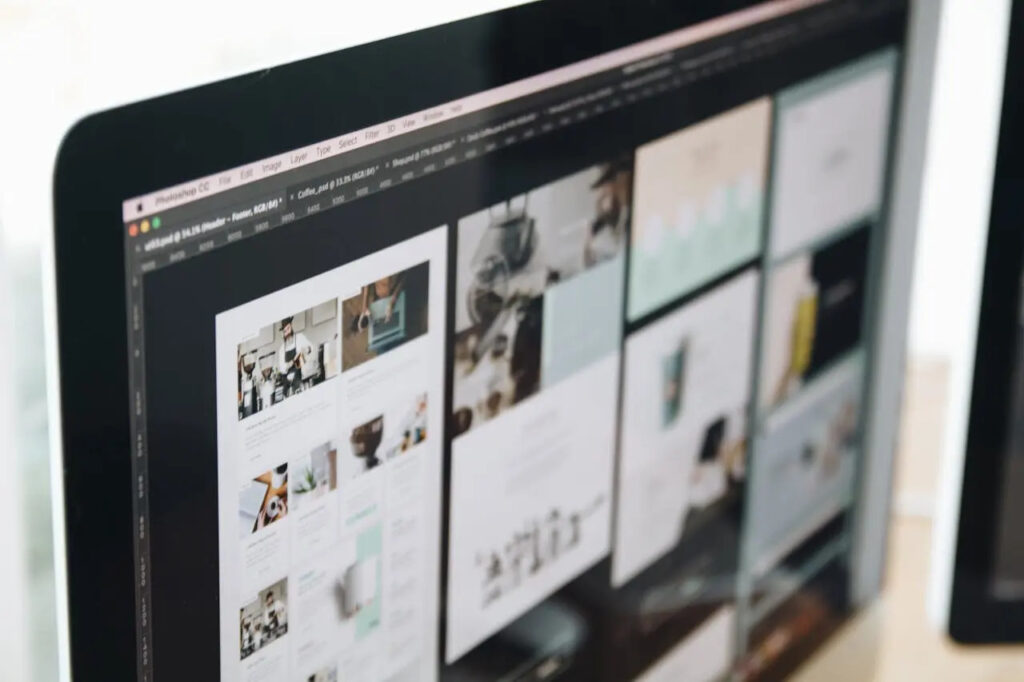 One misconception worth clearing up before you spend money on software. Figma is not a UI tool. It’s a design tool used across both disciplines — for wireframes, user flows, prototypes, and finished visual design. Sketch, Adobe XD, Miro, FigJam — same story.
When someone says “I’m learning Figma for UX,” that’s like saying “I’m learning Word for journalism.” The tool is neutral. The questions you ask and the decisions you make define the discipline.
FAQ
What’s the simplest way to explain the difference to a non-designer?
UI is what you see on screen — the buttons, colors, and layout. UX is the thinking that determines why those elements exist and how they connect. One is the surface; the other is the structure underneath it.
Can one person handle both UI and UX?
Yes, especially in smaller teams or freelance contexts. But it’s worth being intentional about switching modes — the research mindset of UX and the visual precision of UI are genuinely different ways of working, and blurring them too often leads to weak output in both directions.
Which pays more: UI or UX?
UX roles often command slightly higher salaries on average, reflecting the strategic and research-heavy nature of the work. That gap narrows significantly at senior levels, where strong UI designers with a system-design background are increasingly rare and well-compensated.
Do I need to learn how to code?
No — but understanding how CSS and HTML work gives you a practical edge when collaborating with developers, especially on edge cases, responsive behavior, and animation constraints.
Is UX design the same as product design?
Not exactly. Product design typically encompasses UX, UI, and broader product strategy. Many senior UX designers move into product design roles as their scope expands beyond individual features.
What’s the best way to build a beginner portfolio?
Redesign something that genuinely frustrates you — an app, a checkout flow, a government website. Document your thinking, not just the final screens. Show the before, the problem you identified, and the rationale behind your decisions. The process beats polish every time.
Final thoughts
There’s no finish line where you stop learning one and start mastering the other. The designers who do this work well keep asking two questions. Am I solving the right problem? Am I solving it clearly? One is UX. One is UI. That’s what this whole discipline comes down to.